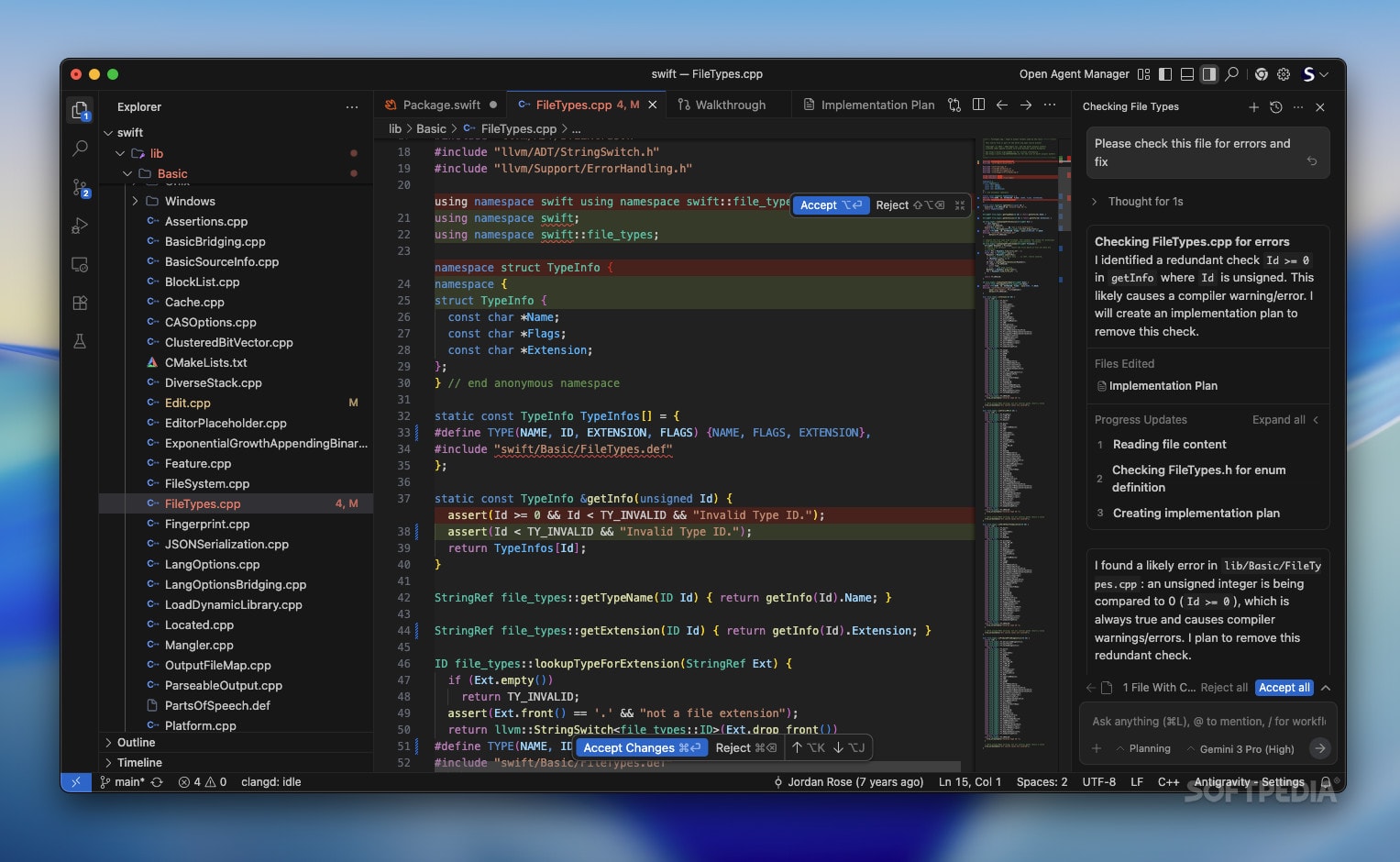
Google Antigravity demands a different discipline. You are not chatting; you are programming the programmer.
Introduction: Moving Beyond “Chat” in Google Antigravity
In the early days of Generative AI, interaction was conversational. You treated the AI like a junior developer sitting next to you, asking questions and getting answers. This was the “Chat Era.”
When you interact with an agentic IDE, your prompts are not questions; they are specifications. The quality of the code produced by Antigravity is linearly correlated with the precision of your natural language input. If you give vague instructions, you get vague code (or “hallucinations”). If you give architecturally sound instructions, you get production-grade systems.
This chapter is about Agentic Prompt Engineering. It is distinct from standard LLM prompting because it involves controlling a system that has agency-the ability to take actions, read files, and execute commands. The stakes are higher, but so is the leverage.
The Theory of Intent Decomposition
The fundamental error most developers make with Antigravity is treating it like a search engine. They ask, “How do I do X?”
The correct approach in an Agent-First environment is Intent Decomposition. You must articulate the Outcome, the Constraints, and the Context.
The Cognitive Gap
Gemini 3 is powerful, but it cannot read your mind. It can only read your prompt context. A common failure mode is the “Under-specified Intent.”
-
Bad Prompt: “Make the login page look better.”
-
Result: The agent randomly applies CSS changes, likely breaking your design system, because “better” is subjective and unquantifiable.
-
Agentic Prompt: “Refactor the
LoginPage.tsxcomponent. Replace the current raw CSS with Tailwind utility classes consistent with thestyles/theme.jsfile. Add a ‘glassmorphism’ effect to the container card and ensure the submit button has a loading spinner state.”
The second prompt bridges the cognitive gap. It anchors the subjective desire (“look better”) to concrete assets (theme.js) and specific technical implementations (Tailwind, loading state).
The Anatomy of an Antigravity Command
To master the command line of the future, you should structure your complex requests using the C-G-C Framework: Context, Goal, Constraints.
1. Context (The “Where”)
You must orient the agent within the massive context window. Even though Antigravity can see everything, directing its attention improves accuracy.
- “Focus on the
user_servicemodule…” - “Referencing the API documentation in
docs/api_v2.md…” - “Considering the bug report in Issue #402…”
2. Goal (The “What”) in Google Antigravity
This is the core instruction. Use active verbs.
- “Implement a rate-limiter…”
- “Refactor the dependency injection logic…”
- “Write a migration script…”
3. Constraints (The “How” and “How Not”)
This is the most critical and often ignored part. This is where you prevent technical debt.
- “…ensure zero downtime deployment compatibility.”
- “…do not use 3rd party libraries; use the standard library only.”
- “…maintain backward compatibility for v1 API clients.”
The Perfect Prompt Template:
“Acting as the [Persona], I need you to [Goal] in [Context]. You must adhere to [Constraints]. The definition of done is [Verification Criteria].”
Advanced Technique: Chain-of-Thought Injection
Gemini 3 excels at reasoning, but for complex architectural tasks, you should force it to “show its work” before it touches the code. This is called Chain-of-Thought (CoT) Injection.
If you ask for a complex refactor immediately, the agent might start editing files and paint itself into a corner. Instead, ask for a plan first.
The “Plan-Execute” Pattern:
“I want to migrate our database from MongoDB to PostgreSQL. Do not write code yet. First, scan the codebase and generate a migration strategy document. List the risks, the necessary schema changes, and a step-by-step rollout plan. Stop and wait for my approval.”
By inserting this “Stop and wait” clause, you turn the interaction into a negotiation. You review the agent’s logic. If the logic is sound, the code will likely be sound. You then say: “Proceed with Step 1.”
This splits one massive, error-prone prompt into a series of smaller, verifiable successes.
Managing the Context Window: The Signal-to-Noise Ratio
Antigravity has a massive context window, but it is not infinite, and “distraction” is a real phenomenon in Large Language Models. If you load 50,000 lines of irrelevant logs into the context, the agent’s reasoning capability degrades.
Context Hygiene is a new skill for developers.
- Pinning: Explicitly “pin” critical files (like your
types.d.tsorschema.prisma) so they are always in the agent’s immediate focus. - Pruning: If you had a long conversation about a feature that is now finished, clear the session. Start a fresh session for the next feature. Old conversation history is “noise” that can confuse the agent about the current state of the project.
Handling Hallucinations and “Lazy” Agents
Even Gemini 3 can hallucinate or get lazy (producing placeholders like // ... rest of code).
Countering Hallucination
If an agent suggests a library that doesn’t exist or a method that is deprecated:
- Do not argue.
- Verify via Tool Use. Force the agent to check reality.
- Prompt: “You suggested using
Library X. Please run a terminal command to verify this package exists in npm and check its latest version. If it is deprecated, propose an alternative.”
Countering Laziness
If the agent gives you a snippet and says “implement the rest similarly,” you must enforce Completeness.
- Prompt: “I need the full, executable file. Do not use placeholders. Do not abbreviate. Generate the complete implementation so I can run it immediately.”
The Iterative Refinement Loop
Writing prompts is not a “fire and forget” process. It is a loop.
- Draft Prompt: “Fix the bug in the cart.”
- Agent Response: “I need more info. Which bug?”
- Refined Prompt: “The cart total doesn’t update when an item is removed. It happens in
CartProvider.tsx. Fix it.” - Agent Action: Writes code.
- Verification: The test fails.
- Correction Prompt: “The fix failed because the state mutation was asynchronous. Use a functional state update to ensure we have the latest previous state.”
Notice step 6. You are debugging the agent, not the code. You provided the reasoning for the failure, and the agent executed the syntax. This is the essence of Antigravity development.
Keyword Deep Dive: Semantic Targeting
To be effective, use the vocabulary that the model “understands” deeply.
“Idempotency” Instead of saying “make sure if I run it twice it doesn’t break,” use the word idempotent. The model maps this keyword to a specific set of engineering patterns (checking existence before creation, using upserts).
“Atomic”
Instead of “don’t let the data get messed up if it crashes halfway,” use atomic transaction. The model knows to wrap the logic in BEGIN TRANSACTION and COMMIT/ROLLBACK.
“Race Condition” Explicitly flagging potential concurrency issues makes the agent defensive in its coding style.
Using the correct technical jargon is more than just pedantry; it is a compression algorithm for your intent. One correct word saves ten lines of explanation.
Examples: From Novice to Master
Novice Prompt:
“Write a unit test for the calculator.”
Antigravity Master Prompt:
“Generate a test suite for
calculator.tsusing Jest. Focus on edge cases: division by zero, floating point precision errors, and extremely large number overflows. Ensure 100% branch coverage. Mock the logging service to suppress noise during test execution.”
Analysis:
The Master Prompt defines the tool (Jest), the scope (edge cases), the metric (branch coverage), and the environment (mocking logs). The result will be a robust, professional test file. The Novice prompt will result in expect(1+1).toBe(2).
The “Meta-Prompt”: Asking for Help
One of the most powerful features of Antigravity is that the agents understand the system itself. You can use this to your advantage.
If you don’t know how to prompt for a complex task, ask the agent to write the prompt for you.
“I want to implement a websocket server that scales horizontally using Redis Pub/Sub, but I’m not sure how to describe the architecture requirements to you. Please ask me 5 questions to clarify the constraints, and then generate a detailed technical specification prompt that I can feed back to you to start the build.”
This Inception technique (using the AI to prompt the AI) is incredibly effective for breaking through writer’s block or technical uncertainty.
Conclusion of Chapter 3
Prompt Engineering in Google Antigravity is not about tricking a chatbot; it is about clearly articulating software requirements in natural language. It requires a shift in mindset from “syntax writer” to “product manager” and “technical lead.”
You are defining the what and the why. The agent handles the how.
The better you become at describing your problems, the faster Antigravity solves them. You are no longer limited by your typing speed, but by your ability to describe logic.
In the next chapter, we will move from talking to the agents to watching them work. We will explore The Verification Loop, diving deep into how Antigravity tests its own code, fixes its own bugs, and ensures that the “Agent-First” approach doesn’t lead to a “Quality-Last” product.
Key Takeaways
- C-G-C Framework: Always define Context, Goal, and Constraints.
- Intent Decomposition: Break big problems into small plans before asking for code.
- Terminology Matters: Use precise engineering keywords (idempotent, atomic, stateless) to trigger specific design patterns.
- Context Hygiene: Keep the workspace clean to prevent agent confusion.
- Meta-Prompting: Use the agent to help you design the architecture and the prompts themselves.
Would you like me to proceed to Chapter 4: The Verification Loop – Trust but Verify?
